Limit Orders
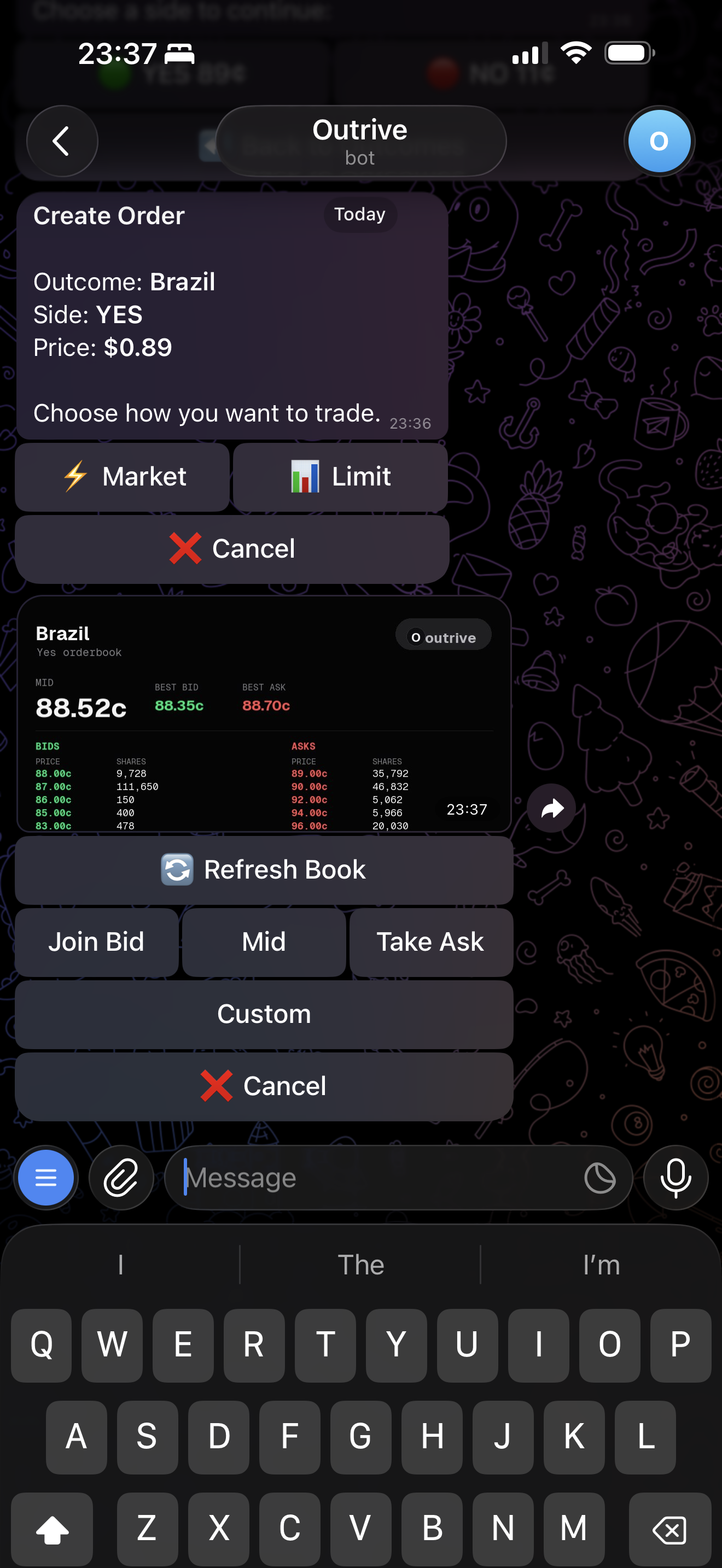
Use the orderbook preview to place a limit order at a chosen price.
Limit orders let you choose the price instead of taking the current market.
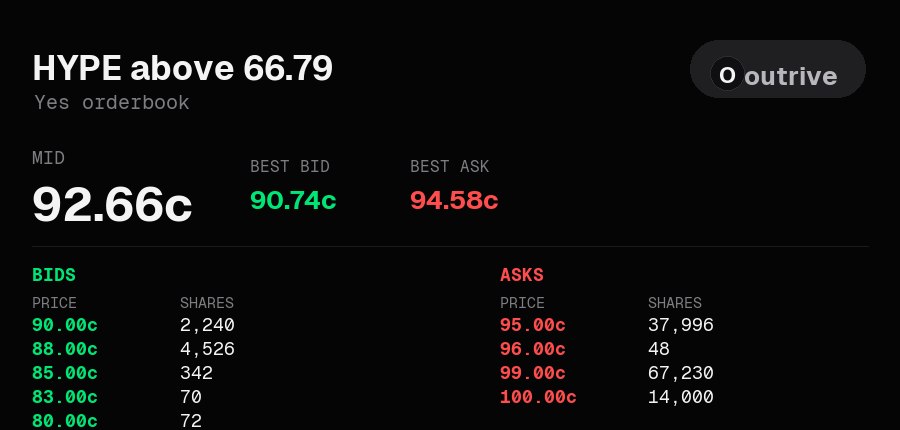
Outrive shows an orderbook card before you choose a limit price.
Share Picker
After selecting the limit price, choose the number of shares.
Orderbook Buttons
The limit order screen can show quick price choices:
- Join Bid
- Mid
- Take Ask
- Custom
The orderbook is grouped to 1 cent for readability and shows a small number of levels on each side.
Slippage and Limit Orders
Slippage is for market execution. A limit order uses the price you choose.
Calls
Resting limit orders can be shared as calls.
This is useful when you want the group to see the price you are trying to enter. If the order fills immediately, the call uses the fill price. If it rests on the book, the call uses the limit price you placed.
Refresh
Use Refresh to request a new orderbook card. The bot sends a new message instead of editing the previous image message.
Next: Calls