Positions
Use /positions to view open outcome positions as an image card.
Use /positions to view your open outcome positions.
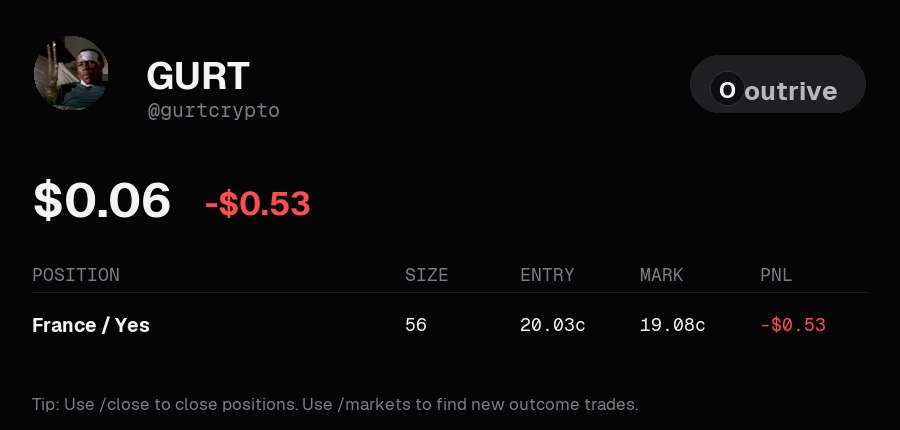
Position Card
The card shows:
- Account value
- Account PnL
- Position name
- Side
- Size
- Entry
- Mark
- PnL
Closing Positions
Use /close to close a position.
If turbo mode is disabled, the bot asks for confirmation before closing. If turbo mode is enabled, close actions are submitted immediately.
Refresh
The refresh button sends a new positions card. It does not edit the old image message.
Next: Orders