Wallet and Deposits
View your Outrive wallet, deposit USDC, and refresh Hyperliquid balances.
Use /wallet to view your deposit address and current Hyperliquid balances.
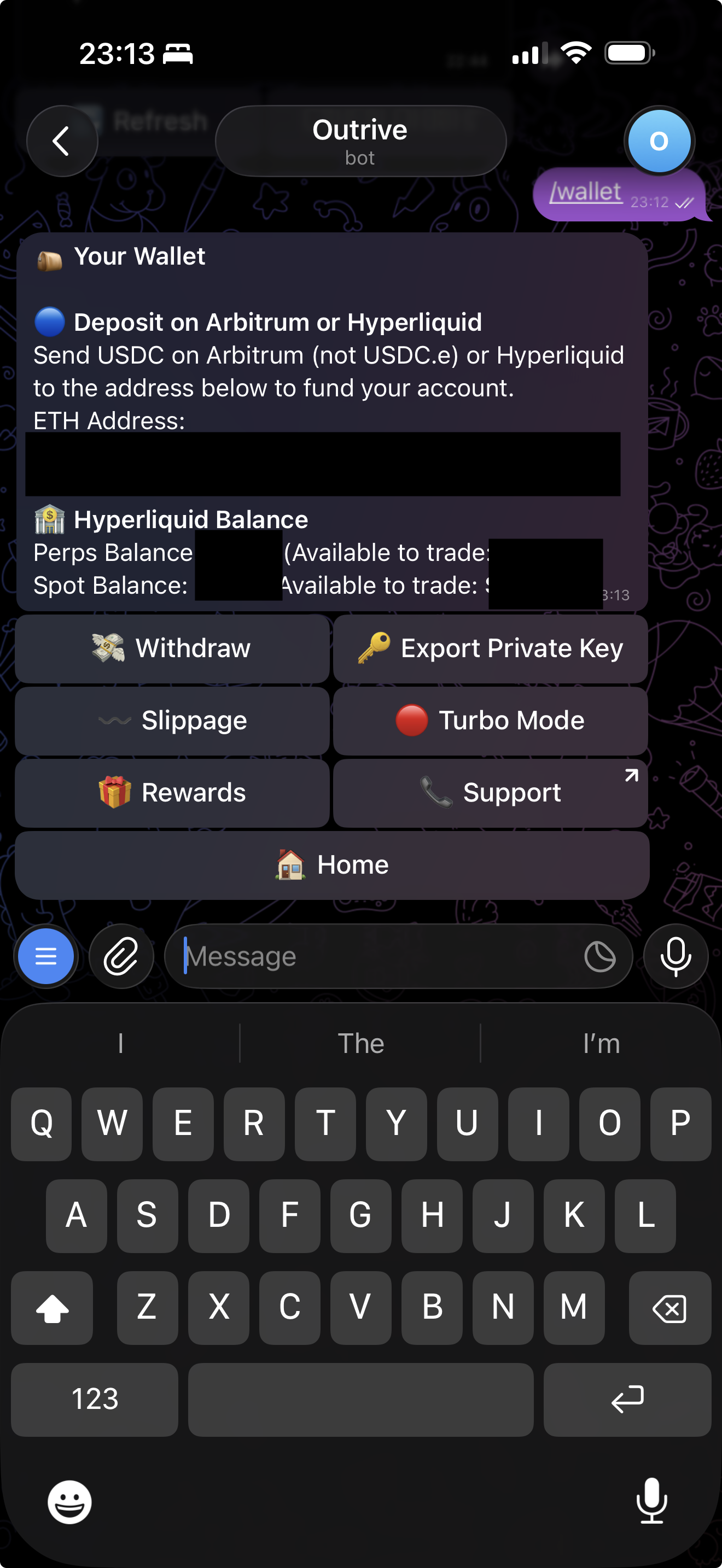
Deposit Address
Your deposit address is the ETH address shown in the wallet screen.
Use this address for Arbitrum native USDC deposits and Hyperliquid deposits.
Arbitrum Deposits
Send native USDC on Arbitrum to your ETH address.
Outrive listens for USDC transfers to your wallet. When a deposit is detected, the relayer bridges the amount to Hyperliquid and the bot sends a Telegram notification when the bridge is submitted.
Hyperliquid Deposits
You can also deposit directly through Hyperliquid to the same address. Hyperliquid deposits do not require bridging by Outrive, so the bot only notifies you when the deposit is detected.
Balance Refresh
Balance refreshes are user-triggered from the bot. After a bridge completes, the Hyperliquid balance may take about a minute to reflect.